As an Amazon Associate I earn from qualifying purchases and sometimes recommend products from other sellers at no extra cost to you. For more details see my disclosure policy and privacy policy.
This post may contain affiliate links - I may make commission from any purchases.
There are a lot of options when it comes to the best Cricut machine for beginners. It’s not always easy to know which one is best. This blog post will help you make an informed decision by giving you all the information you need about what kind of things to consider and what machine is best.
Table of Contents
Why choose a Cricut machine?
Every Cricut machine is distinct in its own way, which means there’s one for you and your future projects. You only have to consider how you plan to utilize the new gadget. By the conclusion of this buying guide, you should have a clear picture of what features are crucial for you.
Advantages of Cricut machines
If you’ve ever considered purchasing a Cricut machine, now’s the time to do it. And as a newbie craftsperson, it’s difficult to understand why you’d want to use a machine to make your “homemade” projects. So, here’s a closer look at these devices’ special features.
Cutting cardstock and other materials by hand takes a long time. That’s especially true if you have shaky hands while using scissors or blades. Furthermore, you will never be absolutely sure that your cut is perfect.
A novice Cricut user may cut complicated designs in less than a minute with the machine. In certain circumstances, Fast Mode can be enabled to speed up the process even more. It is now possible to complete more tasks in significantly less time.
One of the most appealing features of Cricut cutters is how many materials they can handle. Cardstock, fabrics, foils, polyester, and even wrapping paper are all sliced with ease by your machine. All you have to do now is adjust the settings on the device and it’s ready to go.
What is the best Cricut machine for a newbie to use?
Purchasing a Cricut machine is not as simple as it appears. Here’s a checklist of things to consider before purchasing a product.
- Projects or crafts you plan to do
- Types of materials that you need to be pressed or cut
- Software to create and adjust those projects
- Available space in your home or office
- Budget (for the machine & the warranty)
Machine type and functionality
When people hear “Cricut,” the first thing that comes to mind is most likely a cutting machine. However, Cricut also produces heat pressing machines. What’s the difference?
The machine will then be fed through the revolving blade which cuts it into small pieces and produces chips that are about half an inch in length. These chips can easily be scraped off once they have cooled down, making cleanup a breeze!
The scoring tool will allow you to set dashed or solid score lines, as well as the paper’s folding position. The Cricut Maker, for example, has a writing feature that machines such as the Paper Wizard don’t have. When you send over an image with a connected pen, it will draw out patterns or text.
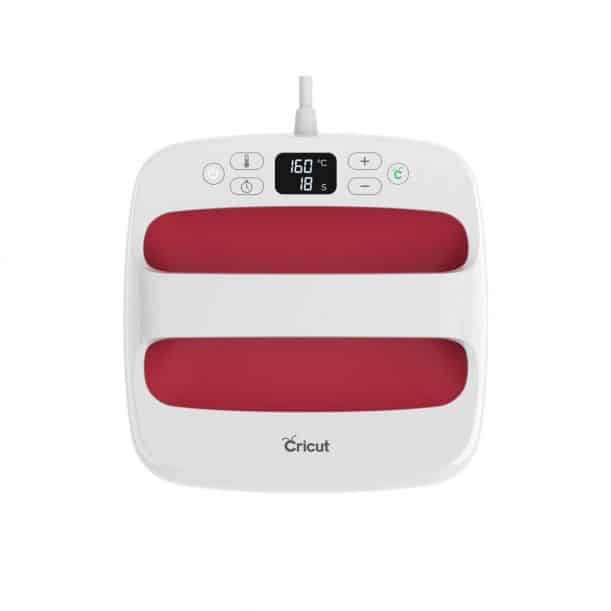
Cricut’s line of hot press machines makes it very simple to imprint designs and text on cloth. T-shirts, for example, and canvas handbags are examples of items that may be produced with this method. The Cricut EasyPress 2 is a beginner-friendly machine with a handy timer that will help you avoid making any mistakes.
Unfortunately, not every Cricut machine is capable of cutting through all materials that you may use in your projects. The Cricut Maker, for example, can cut through more than 300 different materials and fabrics. Burlap, carbon fibre, cotton, 40 gauge thin copper, nylon, vinyl, and a slew of other materials are among them.
Also, examine if the specifications of materials you usually work with are included. Just keep in mind that each material necessitates a different combination of settings on your machine. So, when adapting the cut pressure, multi-cut, and blade type for each substance, be careful.
You’ll have a few more restrictions when it comes to heat press machines that can print on HTV (heat transfer vinyl), iron-on, and Cricut’s own Infusible Ink product line, such as the Cricut EasyPress.
Software for cutting machines
You’ll need the Design Space app/program from Cricut to migrate designs and cuts between your Silhouette CAM and your Cricut machine. This service is completely free and will definitely help anybody get started with their creative ideas. There are versions that work with Windows OS, Mac OS, iOS devices, and Android devices.
The Cricut Design Space community offers a variety of resources, including the following: You may upload your own photos and design styles to use with your Cricut machine. You can also modify the software to generate your own designs or look for typefaces or images for your next project in the database.
Then there’s Cricut Access, which is a service that allows you to use your existing slicing machine to cut items using designs made with Design Space. This gives you somewhat more than Design Space does. Cricut Access costs money to access, and there are three pricing tiers ranging from $7.99 to $9.99 per month for memberships. Despite that, purchasing Cricut machines like the Explore Air 2 comes with a free trial.

Do you need to be online in order to utilize Cricut’s design space program?
You’ll need an internet connection to fully utilize Cricut design software. However, Cricut offers a desktop offline program that may be used with existing projects; new files can also be uploaded in offline mode. There’s also a mobile phone version of the Design Space app. You may use your smartphone to work with the design software.
Machine’s size and weight
There are a lot of different sizes and weights of Cricut machines. You’ll notice that the heavier and bulkier Cricut machines have a greater number of features than typical cutting or heat press equipment.
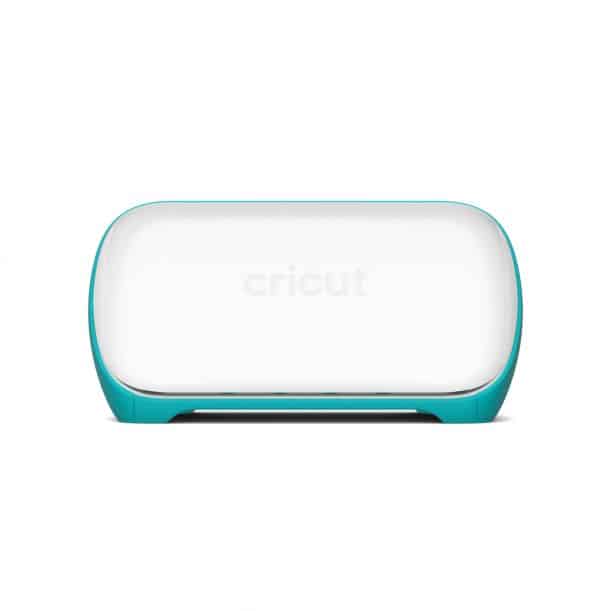
A cutting machine is a device that cuts and shapes the material into specific designs. The Cricut Joy is an example of one such device. It weighs less than 4 pounds and has a size of 8.43” x 5.43” x 4.25”, making it ideal for transporting or storing in a cabinet or drawer.
Cricut’s heat press machines are quite compact and easy to transport. This is most likely due to the fact that in order to print on T-shirts and textiles, these devices must be mobile. The Cricut EasyPress 2, for example, measures 6″ x 7″ and weighs around 5 pounds.
What is the best Cricut machine that I can take with me on trips?
The “Cricut Joy” is the best Cricut machine if you’re on the go.
Additional accessories
There’s something special about getting a little extra for your money through add-ons. Here are some examples of accessories that may sometimes be included.
LightGrip 12″ x 12″ mat
The design of this model, as well as other Cricut machines, is flexible. It enables you to cut through a wide range of materials with ease. After your material goes through the machine and comes out the other side, simply peel it off and attach it to whatever you like. This keeps your stuff steady for the best cut possible. The mat is also easy to clean with things like baby wipes to ensure it lasts the longest time.
USB Cable
This accessory enables you to link your computer or laptop to your Cricut machine. If you’d rather connect via USB than Bluetooth, this is a good option for you.
Cricut Fine Point Pen
These pens can be used with your Cricut machine’s “writing” function. They produce some really nice and clean lettering.
Keep in mind that if you buy the Cricut Create & Craft, you will not receive all of the accessories listed.
Can I cut without a cutting mat with my cutting machine?
Only a few machines are capable of cutting without the use of a cutting mat. In most cases, you won’t require a mat with Smart materials.
What kinds of equipment does my Cricut machine come with?
The typical tool is the fine point blade. All other Cricut machines except for the Cricut Joy and Cricut Explore One have a dual tool holder, which allows you to draw and cut at the same time. The term “dual” implies that two tools can be utilized at once.
Best Cricut for Beginners
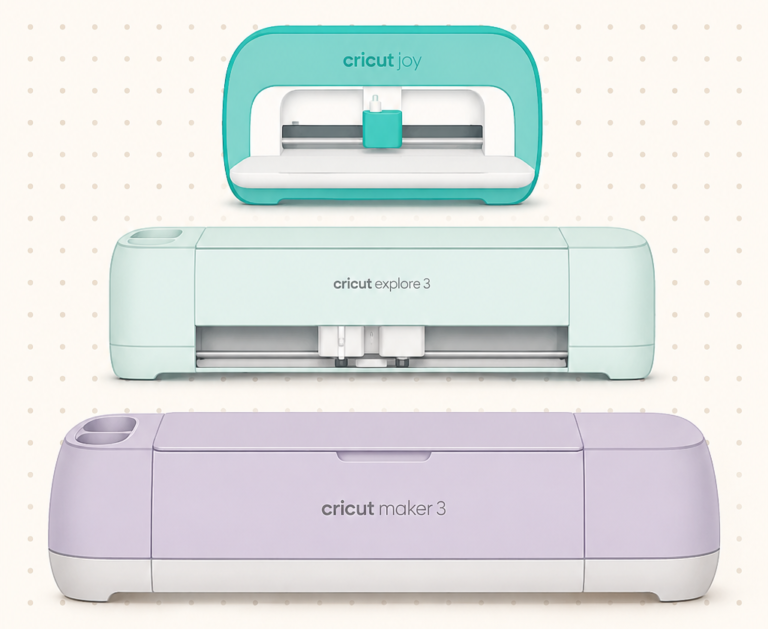
We think the Cricut Explore Air 2 is the best value for money. This device may cut through more than 100 different materials and comes with a variety of attachments that make it extremely versatile. It can also be used to chop your cutting time in half.
If you are looking for a good starting place and don’t want to spend a huge amount of money, then the Cricut Joy is a great place to start. It is a lower price point but still has a good range of features and a decent size capacity, especially if you are into things like card making or smaller home decor items.
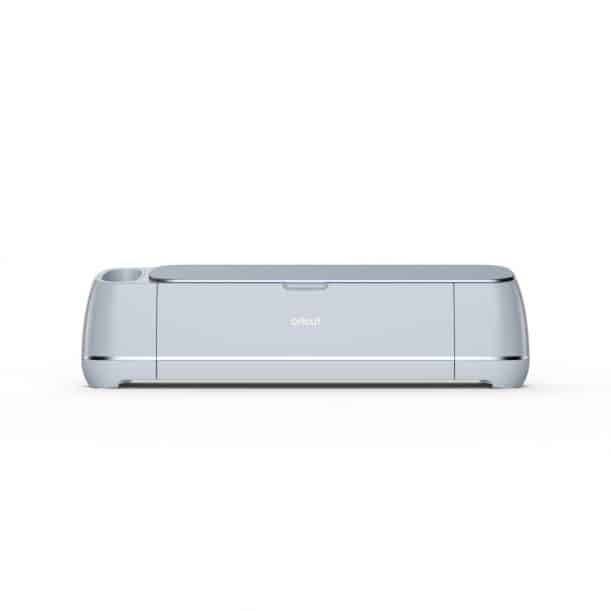
The Cricut Maker is a third-place selection for the best Cricut machines for beginners. This device can cut through up to 300 different materials without difficulty, comes with a Fast Mode to reduce project time, and can cut through many materials, which will be particularly useful for sewing hobbyists.