As an Amazon Associate I earn from qualifying purchases and sometimes recommend products from other sellers at no extra cost to you. For more details see my disclosure policy and privacy policy.
This post may contain affiliate links - I may make commission from any purchases.
Welcome to the wonderful world of Cricut machines! If you’re here, you’re probably curious about what these nifty gadgets can do and how they might become your new favorite crafting tool.
Whether you’re a seasoned crafter or just starting out, this guide will give you all the basics to get started with Cricut machines. We’ll explore what a Cricut is, dive into the models available, walk through how they work, and even give you some fun project ideas to get your creative juices flowing. Let’s jump in!
Table of Contents
What is a Cricut Machine?
So, what exactly is a Cricut machine? In simple terms, a Cricut is a versatile cutting machine that can precisely cut various materials. Think of it as your crafting assistant that can handle paper, vinyl, fabric, and even leather, making intricate cuts and designs that would be nearly impossible to do by hand.
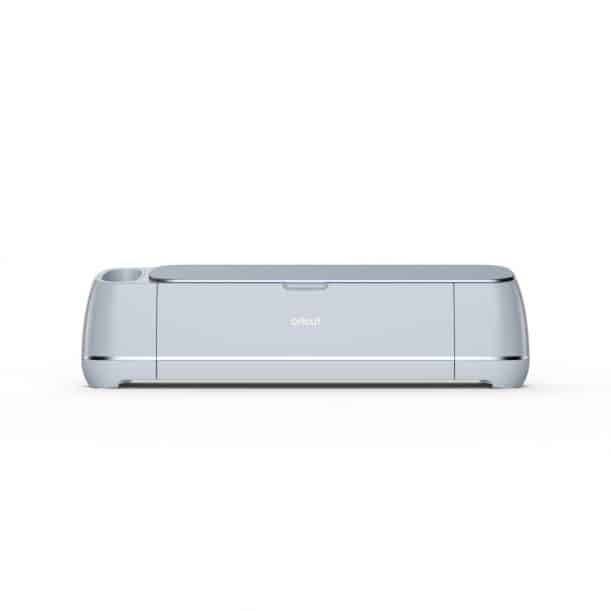
A Cricut machine typically includes a cutting blade, a mat to hold your materials in place, and a housing unit that moves the blade or other tools across the material. The machine connects to your computer or mobile device, where you use Cricut’s Design Space software to create or upload your designs.
The Cricut brand has come a long way since its inception, evolving from basic cutting machines to advanced, smart devices that can tackle a wide range of creative projects. Whether you’re into scrapbooking, DIY home decor, or custom apparel, a Cricut machine can help you bring your ideas to life.
Current Models of Cricut Machines
A few different Cricut models are available today, each with its own set of features tailored to different projects and user needs. Let’s take a closer look at the most popular ones:
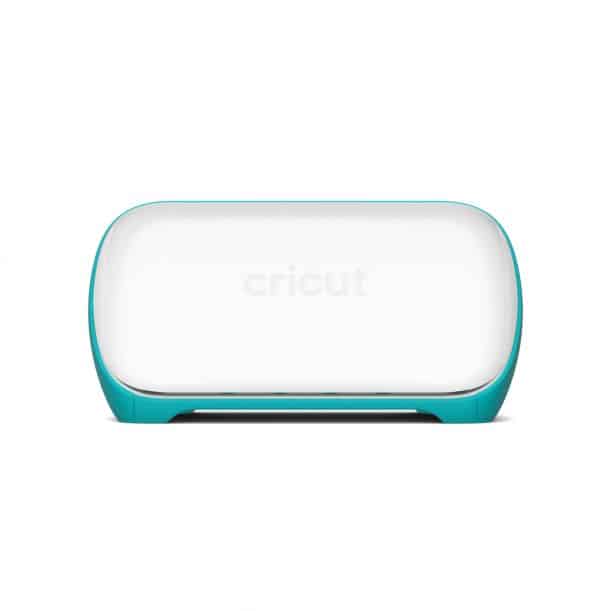
Cricut Joy
- Key Features: Compact and portable, perfect for quick, everyday projects.
- Best Uses: Greeting cards, labels, small vinyl decals, and simple crafts.
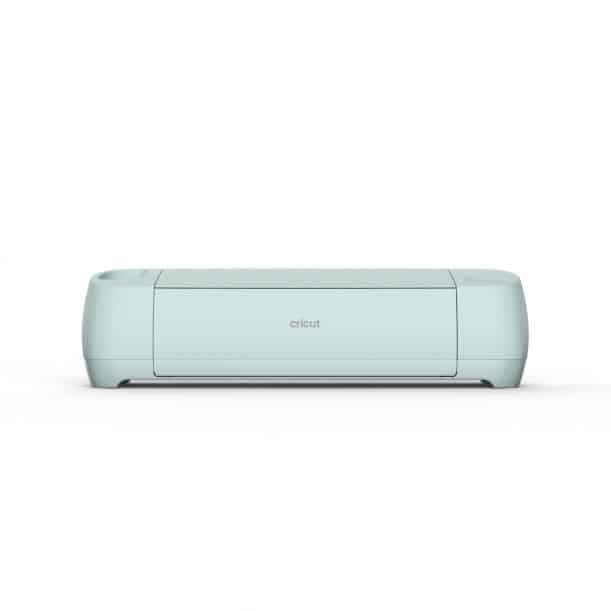
Cricut Explore Air 2
- Key Features: Versatile and user-friendly, with a wide range of material compatibility.
- Best Uses: Custom T-shirts, home decor, paper crafts, and more.
Cricut Maker 3
- Key Features: The most powerful and versatile Cricut machine can cut over 300 materials.
- Best Uses: Advanced projects like leather accessories, wood signs, fabric patterns, and intricate paper crafts.
Here’s a quick comparison chart to help you decide which model might be best for you:
| Feature | Cricut Joy | Cricut Explore Air 2 | Cricut Maker 3 |
| Max Cutting Width | 4.5 inches | 12 inches | 12 inches |
| Material Compatibility | Basic materials | Wide range | Over 300 materials |
| Portability | Highly portable | Portable | Less portable |
| Best For | Quick, small projects | Versatile crafting | Advanced projects |
How Cricut Machines Work
Using a Cricut machine might seem a bit daunting at first, but it’s quite straightforward once you get the hang of it. Here’s a step-by-step guide to help you get started:
- Set Up Your Cricut Machine:
- Unbox your machine and plug it in.
- Connect it to your computer or mobile device via Bluetooth or USB.
- Load Your Materials:
- Place your material (e.g., vinyl, paper) on the cutting mat and load it into the machine.
- Select or Create Your Design:
- Open Cricut Design Space on your device.
- Choose from thousands of ready-to-make projects or create your own design.
- Cutting and Drawing:
- Once your design is ready, select the appropriate material settings in Design Space.
- Click “Make It” and let your Cricut machine do the work!
- Assemble Your Project:
- Remove the cut pieces from the mat and assemble your project as needed.
Cricut machines can work with various materials, including vinyl, paper, fabric, leather, and even wood. This versatility opens up endless possibilities for your crafting projects.
Introduction to Design Space
Design Space is the software that powers your Cricut machine. It’s where you create, customize, and send your designs to be cut. Here’s a quick rundown of what you can do in Design Space:
- Create and Customize Designs: Use the built-in tools to draw, edit, and format your designs.
- Upload Your Own Images: Import your own designs and images to personalize your projects.
- Access Ready-to-Make Projects: Choose from thousands of pre-designed projects, from greeting cards to home decor.
- Use Design Tools: Use features like text, shapes, and image editing to bring your ideas to life.
Getting started with Design Space is easy. Simply download the software, create an account, and start exploring. If you’re looking for more in-depth guidance, check out our detailed guide on using Design Space (link to follow).
Project Ideas for Cricut Machines
Now that you’re familiar with what a Cricut machine is and how it works let’s dive into some project ideas to inspire you:
Beginner Projects
- Simple Greeting Cards: Create personalized cards with intricate cut-out designs for any occasion.
- Vinyl Decals: Make custom stickers for water bottles, laptops, and more.
Intermediate Projects
- Customized T-shirts: Use iron-on vinyl to create unique designs for your clothing.
- Home Decor Items: Craft beautiful wall art, signs, and other decor pieces.
Advanced Projects
- Intricate Paper Crafts: Design detailed paper flowers, 3D models, and other complex crafts.
- Leather Accessories: Make custom leather wallets, keychains, and other accessories.
Whether you’re just starting or looking to tackle more advanced projects, there’s no limit to what you can create with a Cricut machine.
Tips and Tricks for Using Cricut Machines
To make the most out of your Cricut machine, here are some handy tips and tricks:
- Maintenance and Care: Regularly clean your machine and replace blades to ensure optimal performance.
- Troubleshooting: If you encounter issues, refer to the Cricut support site or community forums for solutions.
- Best Practices: Always use the correct material settings and cutting mats for your projects to avoid mistakes and ensure clean cuts.
Conclusion
This guide covers a lot of ground, from the basics of a Cricut machine to exploring different models, understanding how they work, and diving into some fun project ideas. Cricut machines are a fantastic tool for bringing your creative visions to life, whether crafting for fun, making gifts, or even starting a small business. So get your Cricut machine set up, and start creating!